Product Import
Complete dictionary and import template for your products. Data entry rules, product types, variant logic and the business impact of each column.
Before you start
Download the template
Download the template directly from the product list:

Understanding the template logic
In the “Taxable” and “Active” columns: 1 = Yes, 0 = No.
The file format cannot be changed. The order and names of the columns must exactly match the template.
Represented on a single row. One unique main SKU and one unique name.
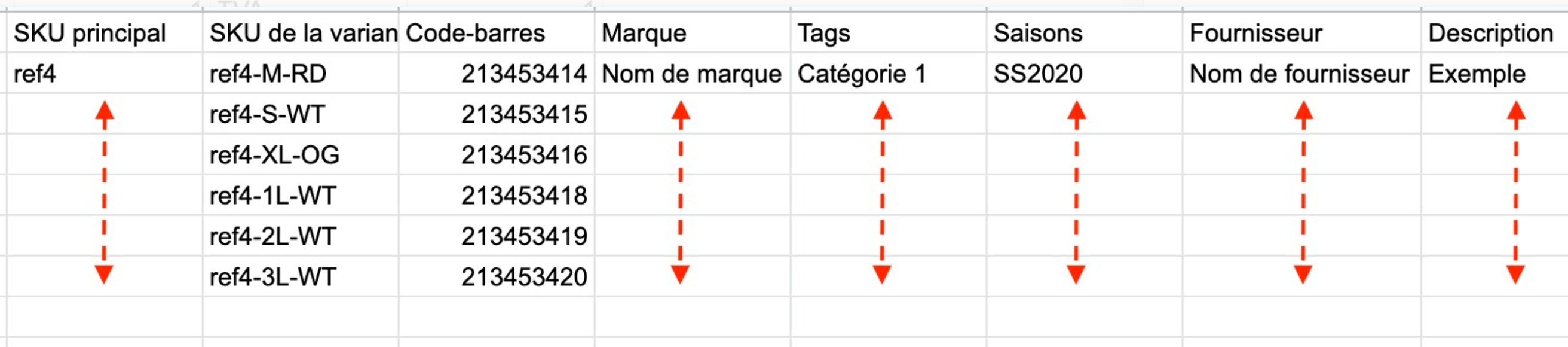
As many rows as there are attribute combinations. The 1st row contains the shared information, the following rows contain the information specific to each variant.
["Tag 1","Tag 2"]Supported product types
Physical or standard product. Stock management available. Variants possible.
Service or labor. No stock tracking, no variants.
Set of products sold together. Components defined through a bill of materials.
Product assembled from components. Made-to-order production.
Import my file into Erplain
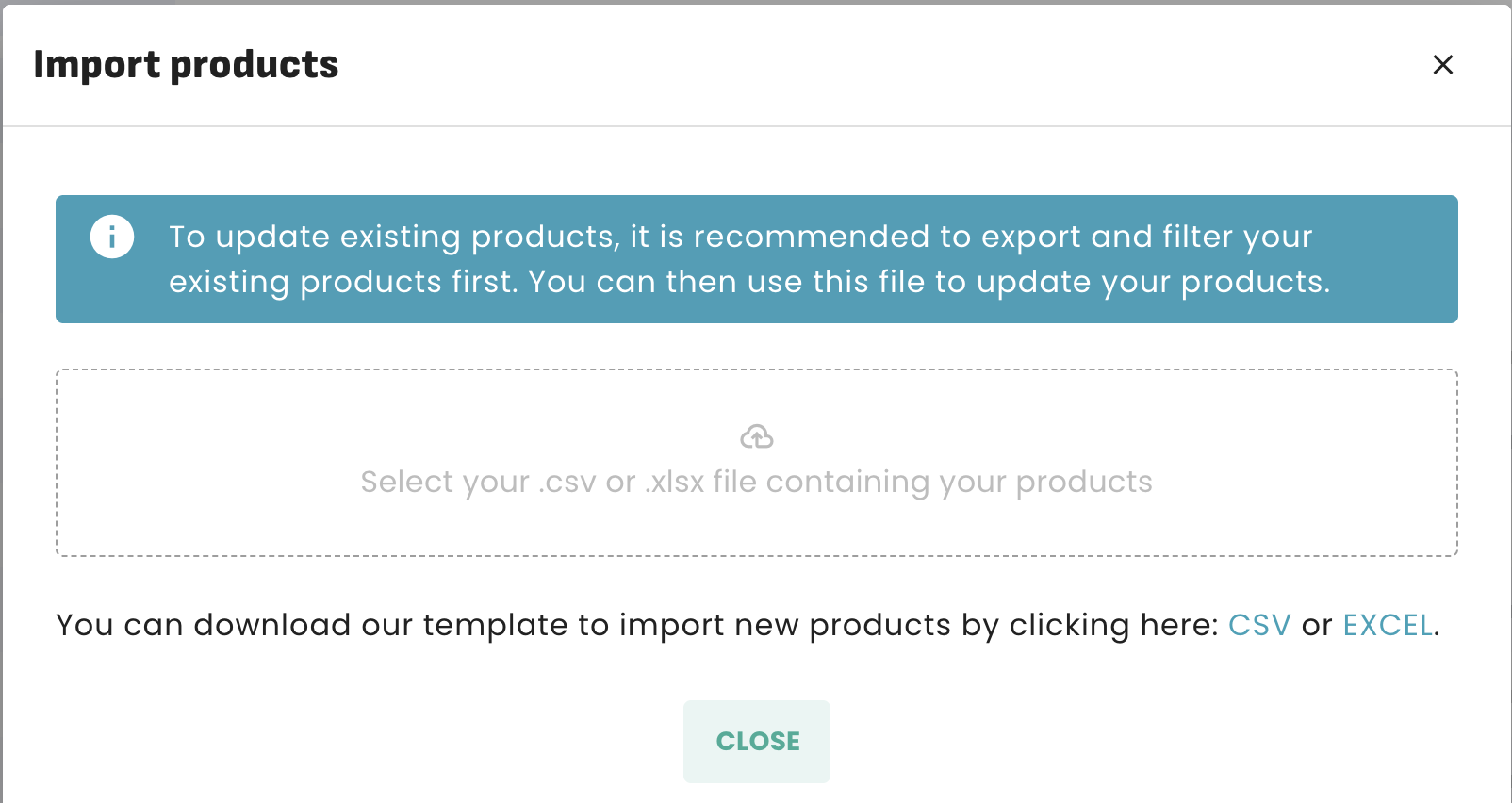
Once the file has been edited and saved from Google Sheets, re-import it from the products menu:
Error messages
When an error is detected in the file, Erplain blocks the import and displays an error message indicating the error to fix.
["VAT","Eco"]. Booleans are written as 1 (Yes) or 0 (No).Variant logic
A product with variants is represented by as many rows as there are combinations of its attributes (size, color, etc.). Variants are linked to the product name, which acts as their master.
Column dictionary
Basic information
Unique Erplain identifier (variant). If present, updates the existing record instead of creating a new one.
Product name. Main display name throughout the interface. For variants, this is the name of the master product.
Unique internal reference of the product or variant. Used for quick identification and cross-imports.
Detailed product description. Displayed on product records and potentially on sales documents.
Defines whether the row is a product (product) or a service (service). On creation, only these two types are accepted.
Defines whether the product is available for new orders. 1 = active, 0 = deactivated.
EAN/UPC barcode of the product or variant.
Customs code (Harmonized System) for import/export operations.
Contacts and Categorization
Suppliers linked to the product. Suppliers must already exist in Erplain (import them beforehand). Format: ["Supplier 1","Supplier 2"]
Description of the product from the supplier's point of view (supplier reference, trade name).
Keywords to filter and organize your products. Tags are created automatically if they don't exist. Format: ["Tag 1","Tag 2"]
Seasons to separate your products (e.g. SS2020, AW2021). Seasons are created automatically. Format: ["SS2020"]
Product brand name. The brand is created automatically if it doesn't exist.
2-letter country code (FR, US, CA...) indicating the product's country of origin.
Variants & Attributes (6 columns)
First variation dimension (e.g. Size). The option is the name of the dimension, the attribute is the value (e.g. M, L, XL).
Second variation dimension (e.g. Color).
Third variation dimension (e.g. Material).
Taxation & Tracking
Defines whether the product is subject to tax. 1 = taxable, 0 = non-taxable.
Applicable tax codes. Taxes must already exist in Erplain. Format: ["VAT 20%"]
Enables stock tracking for this product. 1 = tracked, 0 = not tracked.
Logistics & Valuation
Numerical value of the product's weight.
Unit of measurement for the weight (kg, g, lb, oz...).
Default ecotax amount assigned to the product.
Initial cost used to calculate your stock valuation. This is not the purchase price from your suppliers.
Read-only columns (export only)
Unit cost automatically calculated by Erplain.
Available stock automatically calculated (actual - reserved).
Actual physical quantity in stock.
Quantity on pending purchase orders.
Key takeaways
Without an Id column → creates new products. With an Id column → updates existing products/variants.
The import never deletes products. Existing records are kept, only their data is updated.
Options (Size, Color...) and Tags are created automatically if they don't yet exist in Erplain.
Use Google Sheets to edit and save your CSV file. Excel/Numbers may corrupt the format.
Was this article helpful?
That’s Great!
Thank you for your feedback
Sorry! We couldn't be helpful
Thank you for your feedback
Feedback sent
We appreciate your effort and will try to fix the article